
Client: Productive App
Duration: 4 Weeks
Tools: Figma , Adobe Photoshop, Maze, Adobe Illustrator
Responsibilities: User research, UX & UI design, Prototyping, User Testing
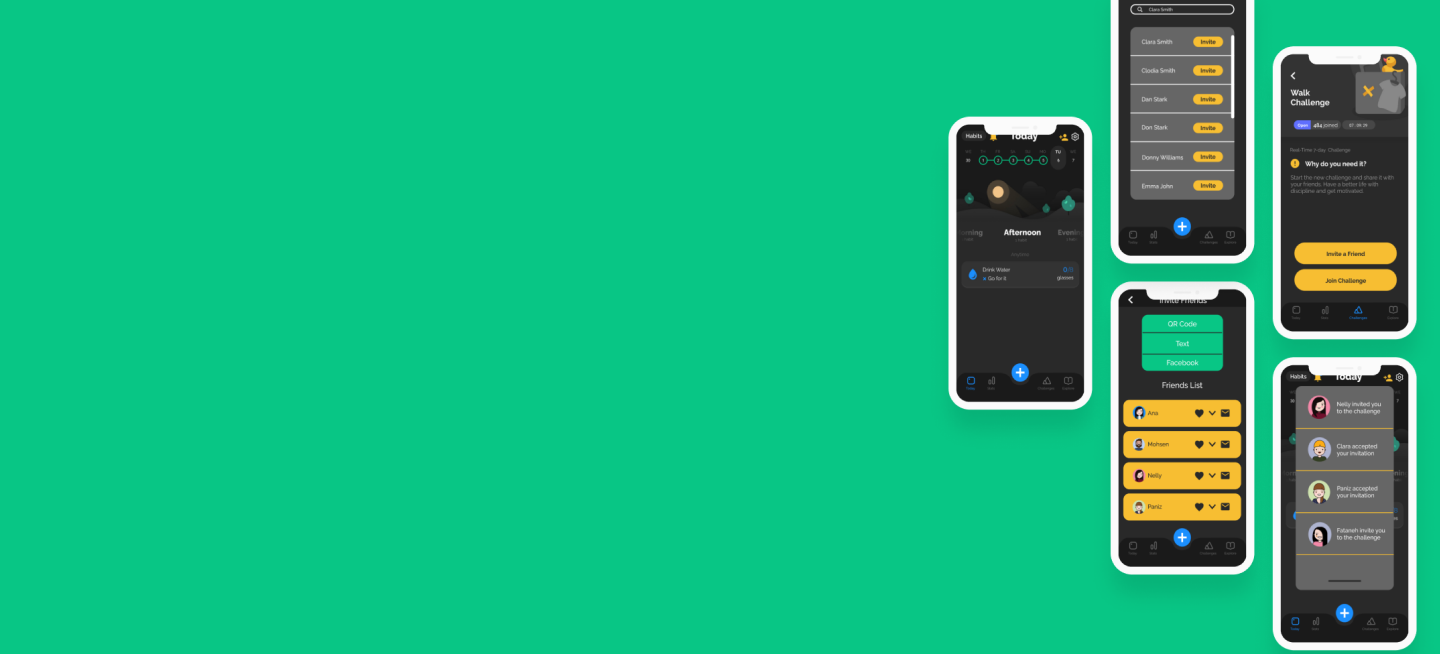
To expand upon the current capabilities by adding a few new features to the existing app. New features include share habits and challenges with friends, send invitations via different methods, and provide a communication channel within the app.
People who use their smart phones for daily planning, organization, and task management. Users include current Productive app customers as well as people who use similar habit tracking mobile applications.
While many are using the PRODUCTIVE app daily, the application suffers from limited communication and sharable features.
Productive is an easy-to-use tool that helps you build a routine of positive, life-changing habits, set personal goals, track your progress, and motivate yourself to new heights! Productive can help you with planning your schedule to create healthy new habits. I was asked to extend the functions of this amazing app by adding features that allow users to share their experience with friends and family, and to invite them to join you in the challenges you select to tackle. Most people find it much more effective, encouraging, and sustainable when work on improving life habits with friends.

Productive app is not the only application that would like to provide users with communication and connection features. Many other applications with similar not the same functionalities have implemented such features and a through analysis of direct and indirect competitive can reveal the weaknesses, strengths and examples of such applications.
People who use organization and planning apps are goal oriented and usually have strong opinions regarding the way they would like to do things. To ensure user satisfaction, I decided to perform a series of 1-on-1 interviews with potential users experienced with such applications to understand the need and translate it to actionable design decisions.
Recommendations for Productive:
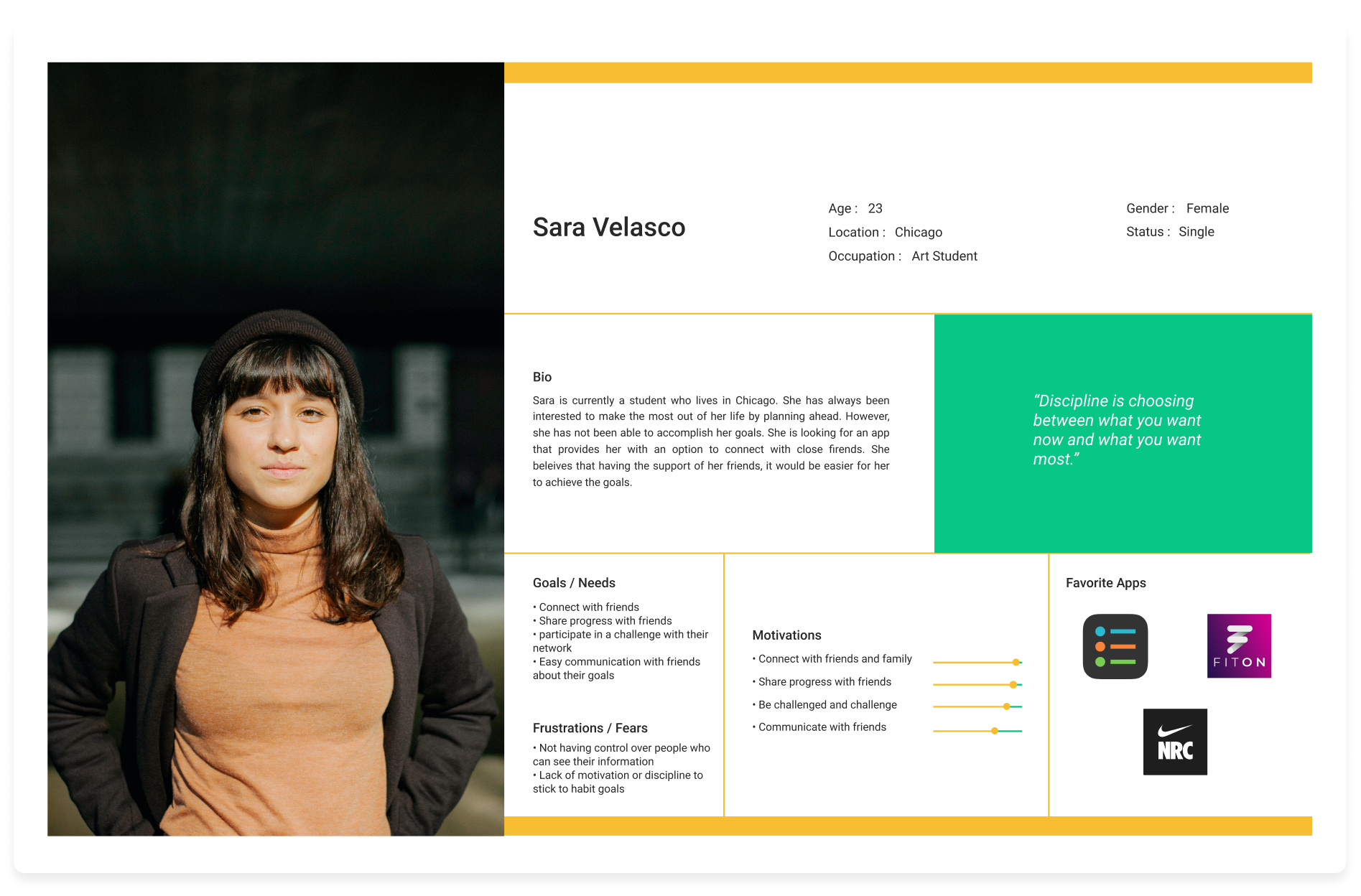
Based on the insights from user interviews, I developed a persona that guided my design decisions to a large extent.
Meeting Sara's needs and avoiding her fears became my main objectives. I tried to add features that give her the ability to connect and share, and customize the app to ensure all frustrations are removed.

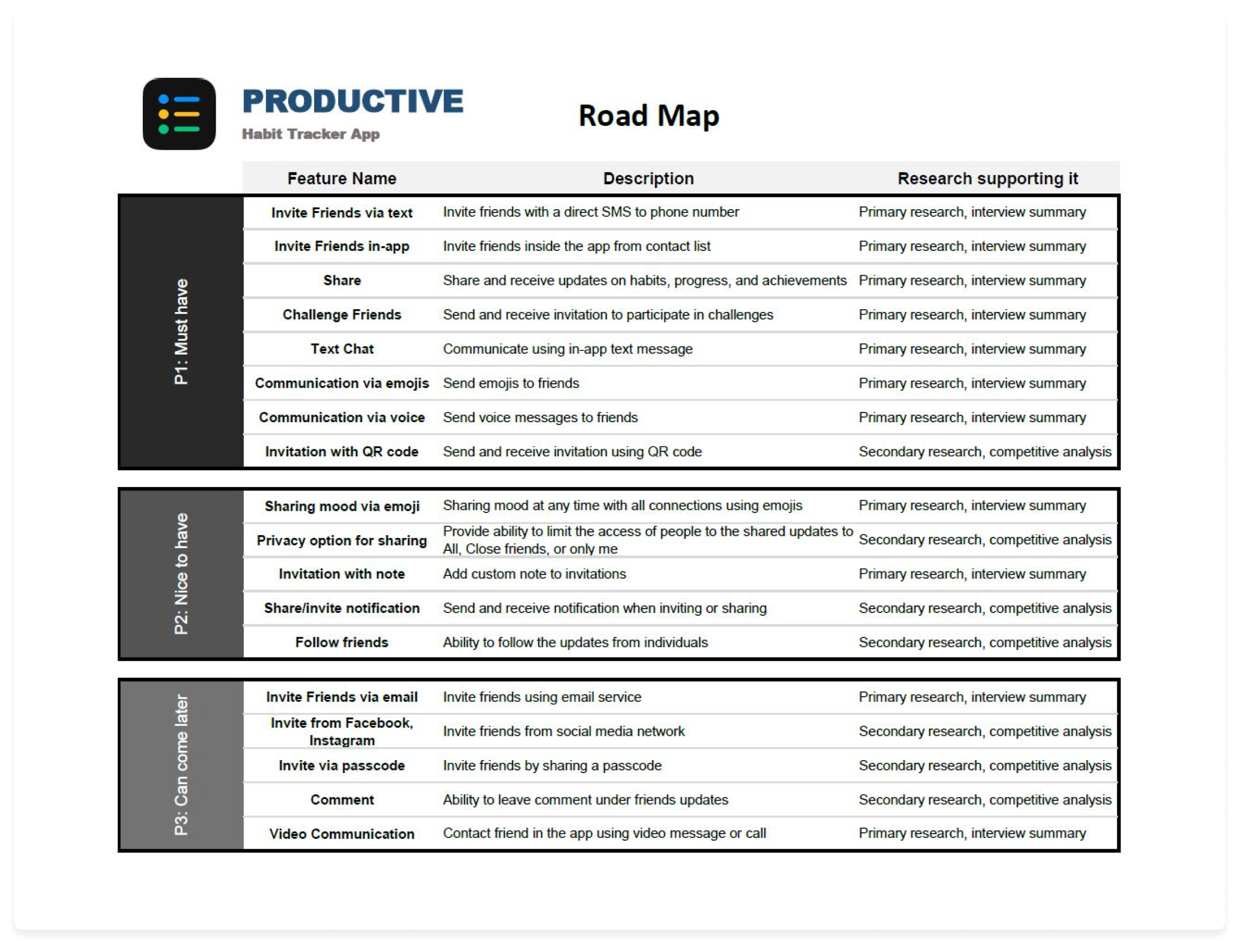
Given my research findings, I selected various features that can be added to the app. However, adding all the features required the app to undergo major changes outside the scope of this project. Thus, I ranked the features based on the level of importance provided by users during interviews. Eventfully, a comprehensive roadmap was created to capture abovementioned information.
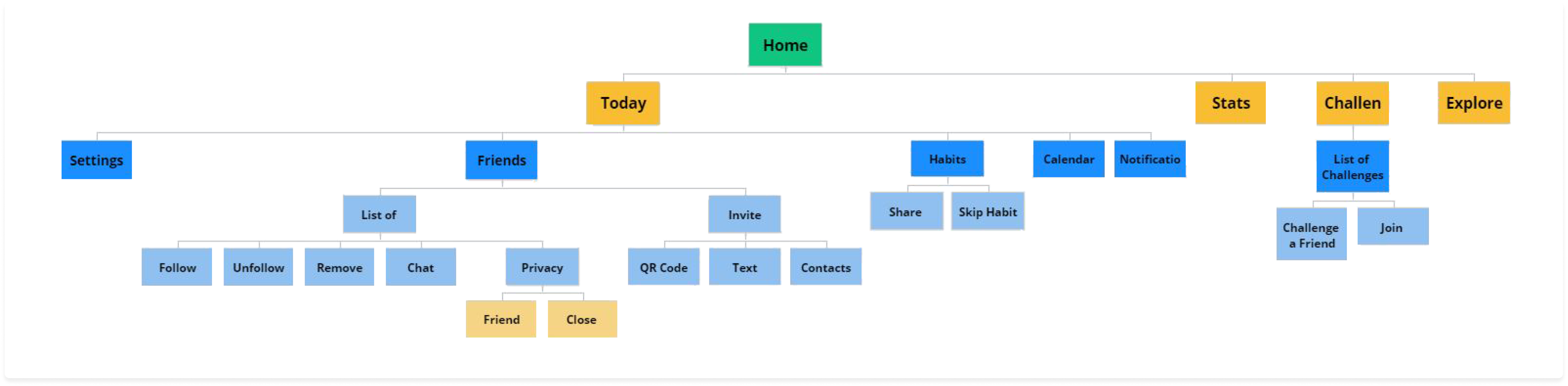
Having all required additional features selected, it was the time to categorize and integrate them into the application map. I added a new major category for the "Friends" and the remainder of features were added to the existing categories.
A user-centered product requires the design process to be formed around user actions. Hence, I created a few possible user tasks as a framework for the specifics of my design.


The ideation phase was conducted around a few major decisions:
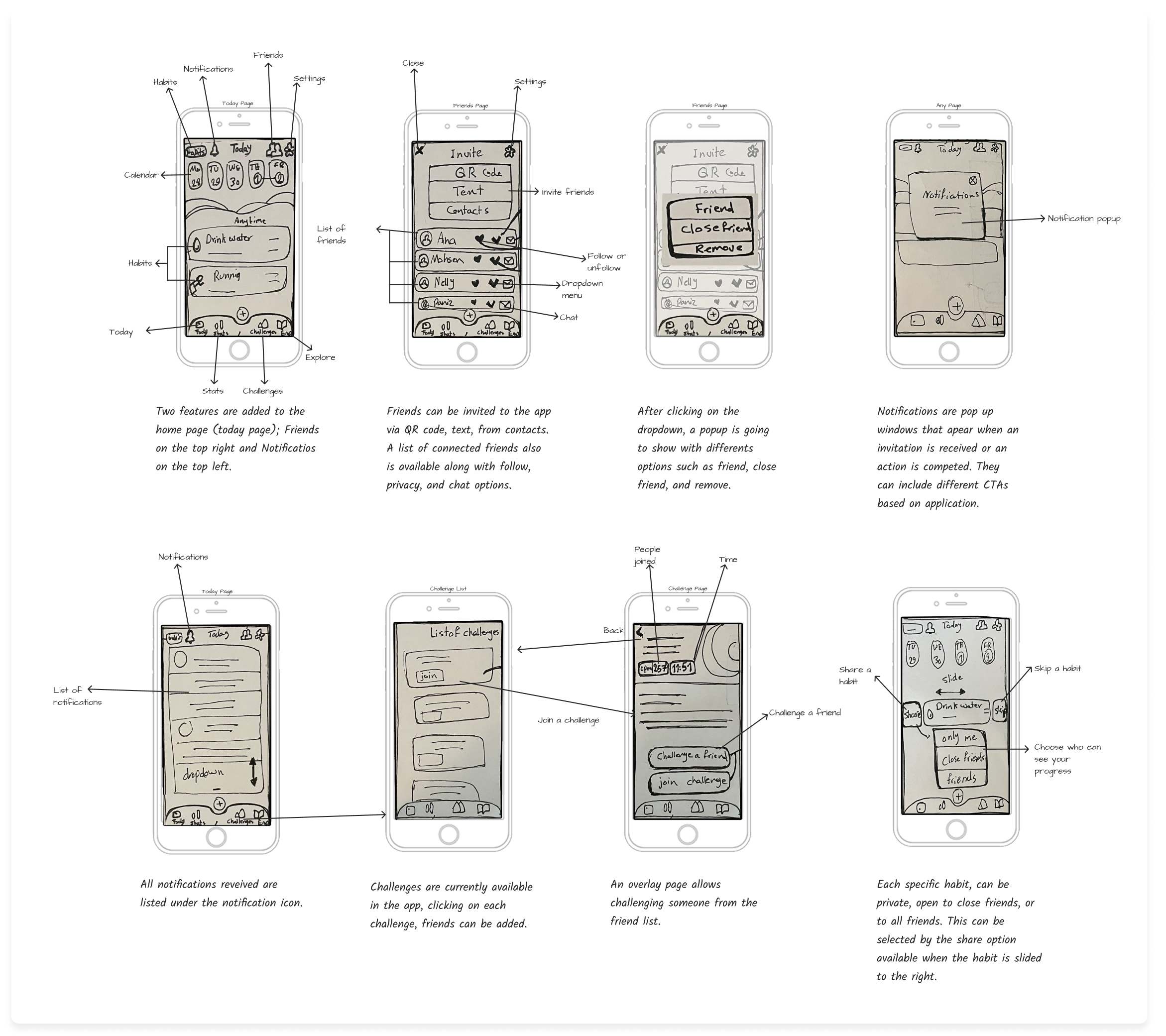
First iteration on digital wireframes
- Main page "Today"
- "Notification" overlay
- "Invite" / "Accept"
- "Confirmation"
- Custom privacy


To understand the improvement opportunities in the design, I put the wireframes into user testing. Participants were asked to complete two tasks:
Iterating on wireframes based on the usability test results and a decision matrix ensured me that users are satisfied with the overall arrangement and features of the app before creating the high-fidelity prototype.


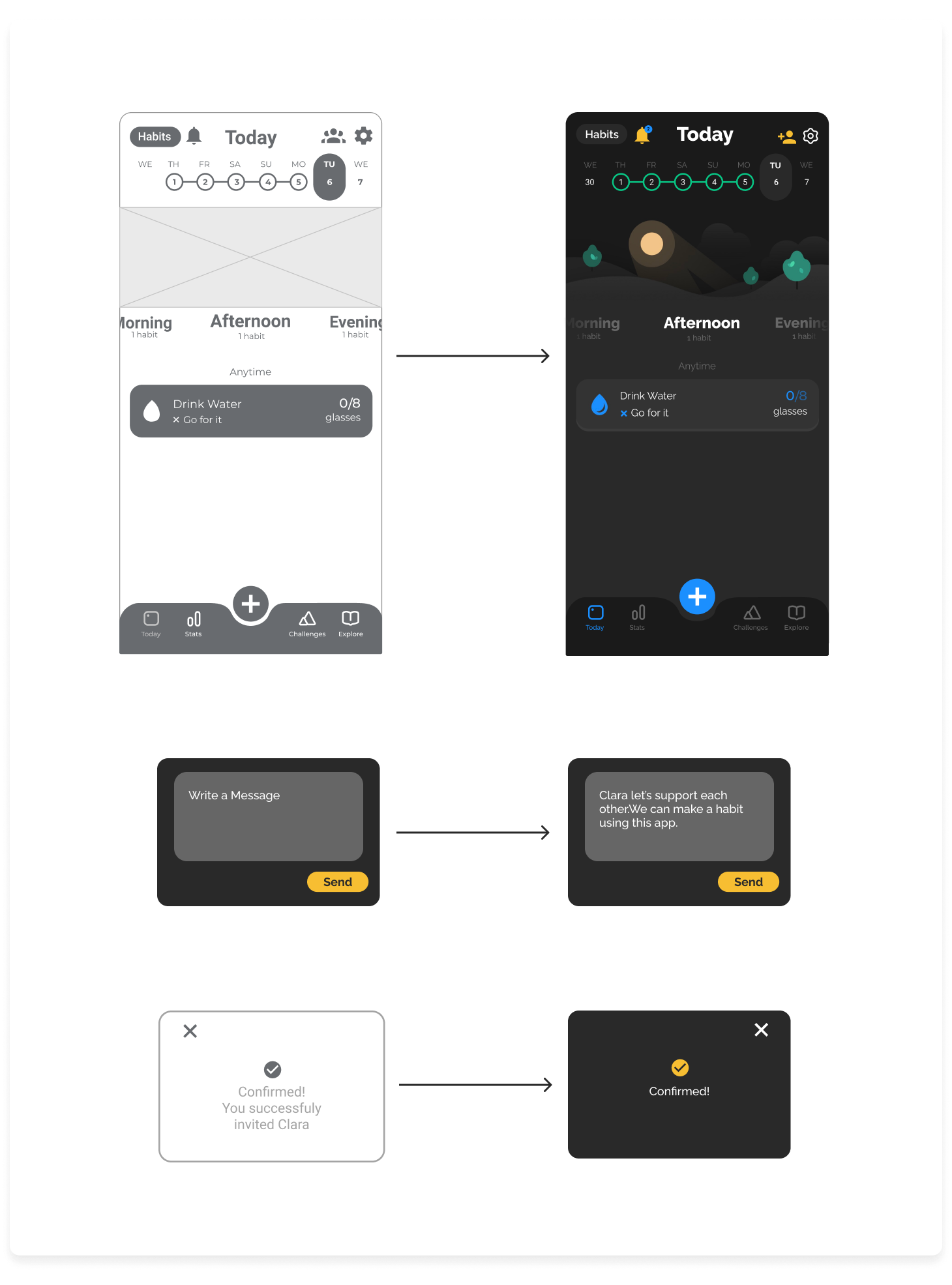
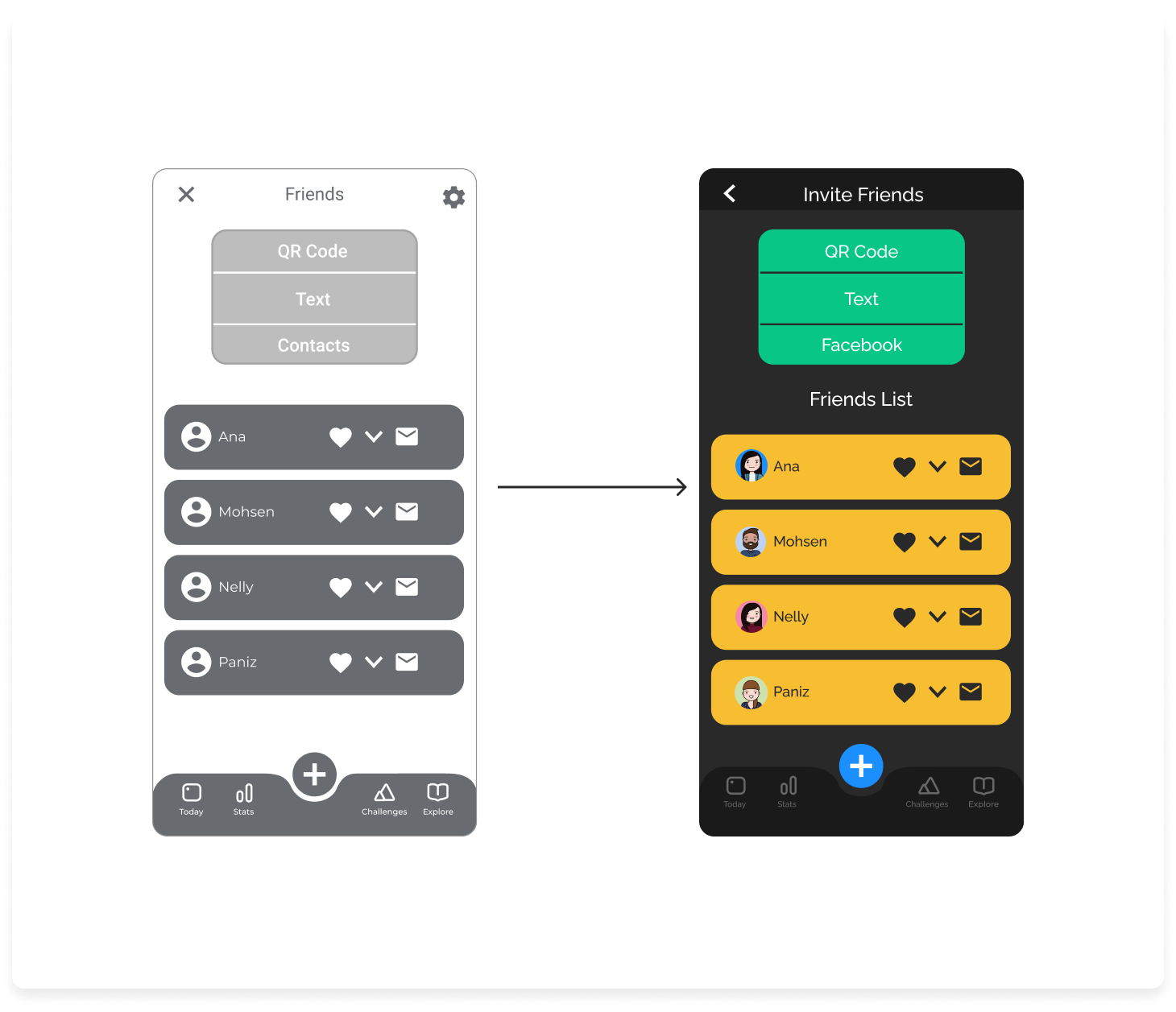

This project was particularly exciting for me since it gave me the opportunity to build upon the work of an amazing design team. Given the success of existing app, I tried to preserve the look, color palette, and spirit of the application. This created a special challenge for me when adding more features that needed to be distinguishable yet not disturb the existing theme. User research and final testing helped me a lot in structuring my thoughts and to create a completely user-centered design which was successfully tested by 16 potential users.

anahita.azari@gmail.com

